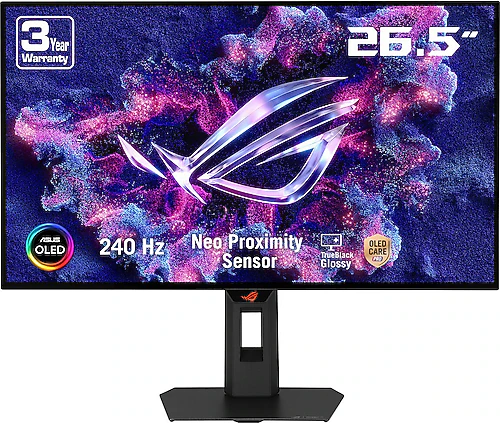
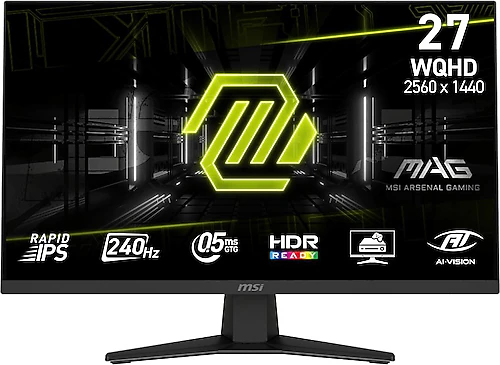
The Asus ROG Strix OLED Gen2 XG27AQDMGR and MSI MAG 274QF X24 target similar gaming needs, combining 2560×1440 resolution with a 240 Hz refresh rate. Their main differences lie less in speed than in image characteristics and everyday flexibility: Asus uses an OLED panel, while MSI opts for an IPS panel. The choice therefore depends on whether you value high contrast and pivot functionality more, or prefer IPS’s wide viewing angles.
Gaming performance: both are 240 Hz, so your computer matters
Both monitors have a 240 Hz refresh rate at QHD resolution. This shared feature makes them strong candidates for anyone who wants smooth motion in fast-paced shooters and racing games. However, getting the most out of 240 Hz depends on whether your computer can produce a sufficiently high frame rate in games. QHD provides more detail than Full HD while placing a more moderate graphics load on your system than 4K; even so, achievable frame rates vary by game and graphics card.
Asus lists a response time of 0.03 ms, while MSI lists 0.5 ms. These figures may be based on different measurement methods, so they should not be treated as directly comparable values on their own. Both models also support variable refresh rate alongside their high refresh rates: Asus offers G-Sync, Adaptive Sync, and FreeSync Premium Pro, while MSI supports FreeSync Premium. When frame rates fluctuate, these technologies can help reduce tearing or the appearance of stutter with compatible hardware and settings.
Image characteristics: OLED contrast or IPS viewing angles?
Asus’s OLED panel can deliver deep blacks and strong separation between dark scenes and bright details because each pixel produces its own light. This contrast difference can be especially noticeable in films, shows, and atmospheric games. Asus also offers 10-bit color depth and a typical brightness of 400 cd/m². For those who prioritize OLED image quality and contrast, this is the strongest reason to choose Asus over the other model.
MSI’s IPS panel offers a different advantage: colors and brightness remain more consistent when viewed from the side. This may matter to people who view the screen from different positions in a shared workspace, or who also use their monitor for documents, web browsing, and video outside of gaming. The anti-glare surface helps reduce reflections. With a 1000:1 contrast ratio and typical brightness of 250 cd/m², the panel may be more limited than Asus’s OLED approach in very bright rooms or in dark scenes. MSI’s 8-bit + FRC color depth is also intended for everyday gaming and content use.
The screens are close in size: Asus is 26.5 inches, while MSI is 27 inches. Both offer a 16:9 QHD image, so there is no major difference in class between them in terms of desktop space or resolution. The choice comes down more to panel characteristics such as black levels, contrast, and viewing angles.
Ergonomics and connectivity can shape the everyday choice
Asus’s stand offers height adjustment and pivot functionality. Rotating the screen vertically can be useful for long documents, code, web pages, or chat windows. Those who combine horizontal gaming with a work setup on the same monitor can also benefit from this flexibility. MSI is designed for horizontal use; its VESA compatibility allows for a different setup with a suitable monitor arm or mount. Asus is the more comprehensive option for anyone who would rather not rely on a separate mount for greater stand adjustability.
For connectivity, Asus has two HDMI 2.1 ports and one DisplayPort, while MSI has two HDMI 2.0 ports and one DisplayPort. Both have a headphone output and VESA compatibility. Asus may be the better fit if you want to keep different devices connected or use HDMI 2.1 inputs. With either product, check that your device, connection, and cable support the resolution and refresh rate you intend to use.
Which one suits which priorities?
The Asus ROG Strix OLED Gen2 XG27AQDMGR is the better fit if you value OLED contrast, deep blacks, 10-bit color, and a stand with height adjustment and pivot functionality. It also offers more flexibility for users who watch films outside of gaming or use their monitor in both horizontal and vertical orientations. If you choose OLED, it is worth considering how your usage habits involve bright interfaces that remain unchanged for long periods.
The MSI MAG 274QF X24 may make more sense if you prefer an IPS panel, wide viewing angles, an anti-glare surface, and a 27-inch screen, while still wanting QHD at 240 Hz. Its features directly meet the needs of users looking for a balanced display for everyday computing and gaming who do not prioritize OLED contrast. Those seeking a brighter image or higher contrast in dark scenes should take MSI’s 250 cd/m² brightness and 1000:1 contrast ratio into account when choosing.
Final choice
For gaming fundamentals, both offer QHD resolution at 240 Hz, so choosing based on refresh rate alone is difficult. Asus stands out if image quality and stand flexibility are priorities, while MSI is the better fit if you want an IPS panel and wide viewing angles. When making your final decision, consider together the frame rates your computer can produce in games, the connections you plan to use, and how you intend to position the monitor on your desk.