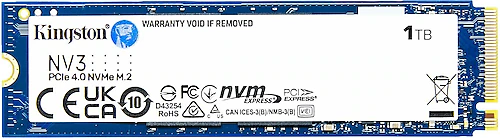
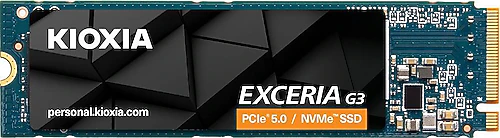
The Kingston NV3 and Kioxia Exceria G3 are two M.2 SSDs for people looking for fast storage, but choosing between them shouldn’t come down to speed figures alone. Kingston is a strong option for everyday use and a game library, with 1 TB of storage for PCI-Express 4.0 systems. Kioxia is aimed at those who want greater transfer potential and twice the capacity in compatible PCI-Express 5.0 systems.
What matters most: compatibility, speed, or capacity?
Both models use the M.2 form factor, so in addition to having a suitable slot in your computer, it’s important to check which PCI-Express generation it supports. The Kingston NV3 uses PCI-Express 4.0, while the Kioxia Exceria G3 uses PCI-Express 5.0. That means Kioxia’s newer connection standard comes into play when the computer also supports it. If your system doesn’t support PCIe 5.0, don’t assume that the product’s higher transfer speeds will make the same difference on every computer just because of the figures alone.
The Kingston’s sequential read and write speeds of 6000 MB/s and 4000 MB/s provide a strong foundation for fast storage in a compatible PCIe 4.0 system. The Kioxia’s read and write speeds of 10,000 MB/s and 9600 MB/s target higher transfer rates. Those who work with large files, transfer a lot of data, or consider storage performance an important part of a new-generation computer may want to factor in this difference when making their choice.
Still, sequential speeds alone don’t determine how fast a computer will feel in every situation. The operating system, other hardware, and the type of work being done also affect the experience. So if your priority is a fast M.2 SSD for everyday apps, documents, and games, the Kingston’s performance can also be a suitable option. If you prioritize the highest transfer potential and compatible hardware, the Kioxia is the more ambitious choice.
1 TB or 2 TB?
The capacity difference is one of the most practical distinctions between these two products. The Kingston NV3’s 1 TB of storage is a balanced choice for those who want to keep their operating system, applications, and frequently used games or files on a single SSD. Users who keep their files organized, have more modest storage needs, or are looking for an additional drive may find this capacity sufficient.
The Kioxia Exceria G3’s 2 TB capacity provides more room for large game libraries, media archives, and project folders. The capacity advantage becomes more significant as files grow or more applications are kept on the same drive. This model is a better fit for those who want to store their system, applications, and large files together without filling up the drive too quickly. More capacity isn’t automatically necessary for everyone; the right choice depends on how many files you want to keep on the same drive.
Which one suits different uses?
For anyone looking to add an SSD to a PCIe 4.0 computer or upgrade existing storage, the Kingston NV3 is a balanced option with 1 TB of capacity and high sequential transfer speeds. Its M.2 design also offers a compact storage solution that plugs directly into a compatible slot. Users looking for fast storage for everyday use, applications, and frequently accessed games—but who don’t specifically need 2 TB of space or a PCIe 5.0 connection—may prefer the Kingston.
The Kioxia Exceria G3 is a better match for users building a system with next-generation PCIe 5.0 support who prioritize both capacity and transfer speed. Its 2 TB of storage makes it easier to keep large files and extensive content collections on the same drive, while its high read and write speeds make it an option for demanding data transfers. These features are particularly relevant to gamers and users working with large files who want to make the most of fast storage in a compatible system.
For both products, check that your computer’s M.2 slot and relevant PCI-Express support are compatible before buying. The connection standard is a key factor in determining how the chosen model will work with your system.
Final verdict
The Kingston NV3 is a more balanced choice for those who want 1 TB of capacity and fast M.2 storage in a PCIe 4.0 system. The Kioxia Exceria G3 stands out for those who want higher transfer speeds and 2 TB of storage in a PCIe 5.0-compatible computer. Check system compatibility first, then decide how much storage you really need: if capacity and next-generation speed are your priorities, choose the Kioxia; if 1 TB is enough for your PCIe 4.0 setup, the Kingston is a better fit.