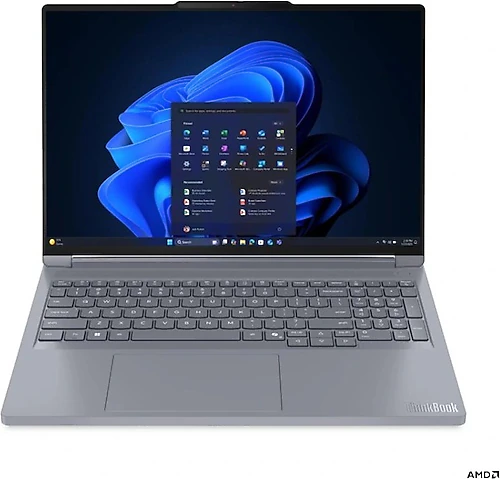
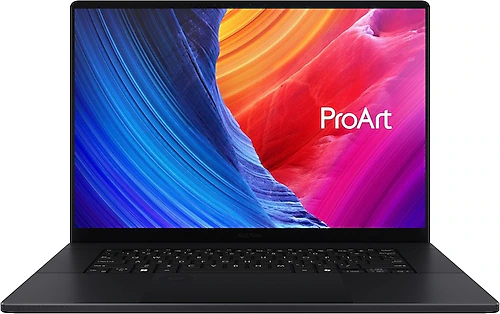
The Lenovo ThinkBook 16P G6 ADR and Asus ProArt P16 are aimed at people who want a powerful processor and a discrete graphics card in a 16-inch laptop. Both have 32 GB of memory and 8 GB of graphics memory, but they differ in processor, display characteristics, storage, and portability. So the choice depends not just on the graphics card model, but also on what you plan to use the laptop for.
Processor and graphics: different priorities for power
The ThinkBook has a 16-core AMD Ryzen 9 8940HX, while the ProArt has a 12-core AMD Ryzen AI 9 HX 370. In terms of core count, Lenovo offers more capacity for parallel processing workloads. The ProArt’s Ryzen AI 9 processor is a meaningful option for those who want to use local AI features in applications compatible with its AI hardware. Which processor is better suited to your applications depends on your workflow; core count alone cannot determine performance in every scenario.
For graphics, Lenovo uses an RTX 5060 and Asus an RTX 5070, and both cards have 8 GB of memory. The RTX 5070 is a higher-tier graphics card by model name, but 8 GB of VRAM is a shared limitation on both laptops. Both offer discrete graphics for gaming, 3D work, and GPU-accelerated creative applications; those working with very large scenes or memory-intensive projects should also consider their software requirements. Specific gaming frame rates or render times cannot be assumed, as results vary with workload and settings.
Choosing a display: fluidity or higher resolution?
Both laptops have 16-inch displays, but their screen priorities differ considerably. The ThinkBook’s IPS panel offers a resolution of 2560 × 1600 and a 240 Hz refresh rate. Lenovo has the advantage if you play games that can benefit from a high refresh rate or value a fluid image during desktop use. The anti-glare surface is also designed to reduce distracting reflections.
The ProArt’s display has a resolution of 2880 × 1800 and a 120 Hz refresh rate. Its higher resolution will appeal to those who work with detailed visuals and want to see on-screen content at a higher pixel density. At 120 Hz, it still has a high-refresh-rate display, though that is half the ThinkBook’s 240 Hz. So the ThinkBook looks like the better fit if fast-moving gaming visuals are your priority, while the ProArt stands out if you prefer a higher-resolution 16-inch screen. Neither review provides information on color coverage or brightness, so these values should be checked when making a decision for professional color work.
Memory and storage: more room to start with on the ProArt
Both models have 32 GB of RAM, but the ThinkBook uses DDR5 memory and the ProArt uses LPDDR5x. The available information does not provide enough detail to compare upgrade options beyond the memory type.
The storage difference is more straightforward: the ThinkBook’s SSD is 512 GB, while the ProArt’s is 1 TB. The ProArt provides more room to start with for large game libraries, media files, or multiple projects. The ThinkBook’s storage may fill up sooner, so those with heavy file-storage needs should consider whether they will need additional space. PCIe Gen4 support is listed for both models; this alone does not indicate the speed of the installed SSD or whether there is an empty expansion slot.
Portability and everyday details
The ProArt’s listed weight is 1.85 kg, and its battery capacity is 90 Wh. The ThinkBook is 19.3 mm thick and has an 85 Wh battery. Since no weight is listed for the Lenovo, the overall portability of the two devices cannot be compared directly. Those who carry their laptop regularly can consider the ProArt’s known weight and, for the ThinkBook, its 16-inch form factor and thickness. Battery capacity alone does not determine battery life; factors such as screen use and application load also matter.
Both have Bluetooth 5.4, a card reader, and a backlit keyboard. These shared features can make it easier to use wireless accessories, transfer files from memory cards, and type in low-light conditions. The ProArt comes with Windows 11 Home. The ThinkBook’s listed 85 Wh battery and 19.3 mm thickness help put its powerful hardware in the context of everyday use.
Which one should you choose?
The Lenovo ThinkBook 16P G6 ADR is a better match for those who want a high-refresh-rate display, a 16-core processor, and strong gaming and multitasking performance in one package. Its 240 Hz panel is the clearest reason to choose it over the other model, but consider its 512 GB SSD in light of your file and gaming habits.
If a higher-resolution display, RTX 5070, and 1 TB SSD matter more to you, the Asus ProArt P16 offers a stronger overall package. Users looking for high resolution and ample storage for creative workflows, while also wanting to play games on the same laptop, may prefer the ProArt. To make your final decision, consider together whether refresh rate or resolution matters more to you, whether your work relies more on the processor or GPU, and how much storage you need.