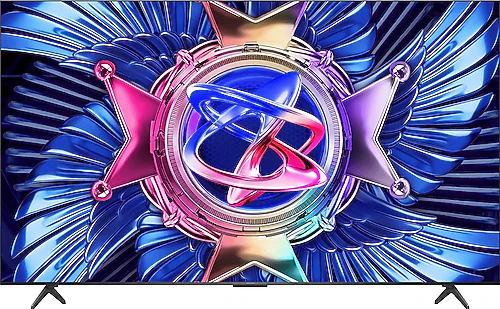
The iFFALCON 55U95A combines a 55-inch 4K Mini LED screen with a 144 Hz refresh rate and Google TV. It’s aimed at viewers who want high-contrast images for movies and TV shows, smooth motion for gaming, and a single TV for both satellite broadcasts and online content.
Mini LED and 4K: detail on a big screen
A resolution of 3840 × 2160 pixels provides a solid foundation for showing fine details in movies, TV shows, and sports broadcasts on a 55-inch screen. Image sharpness is more noticeable when viewing up close; for TV broadcasts watched from farther away, the quality of the source image affects the result. So a high resolution doesn’t automatically turn every piece of content into 4K, but it lets you see more detail in 4K movies and games.
Mini LED backlighting uses small LEDs to illuminate the screen. Designed to deliver a vivid picture in bright scenes and more controlled lighting in dark ones, the technology is especially useful with HDR content. The 55U95A supports HDR10, HDR10+, and Dolby Vision, covering popular HDR formats used by different content. When you play a compatible movie or show, the format support is there to make differences in brightness and tone appear more impressive.
The result still depends on the content you watch and your picture settings. An HDR label alone doesn’t make all content look the same; even so, the combination of a Mini LED screen and support for multiple HDR formats is one of the TV’s strengths for watching movies and shows.
What 144 Hz means for gaming
A 144 Hz refresh rate allows the screen to update motion more frequently. This can help camera turns and moving scenes look smoother, especially in fast-paced games. To benefit from the TV’s capabilities, your gaming device and the content you play also need to support a high refresh rate; simply connecting the TV won’t make every game run at 144 Hz.
HDMI 2.1 and VRR support are useful additions for anyone connecting a newer game console or compatible computer. VRR helps match the screen’s refresh rate to the game’s frame rate on supported devices and games. This is intended to provide a more consistent experience in scenes where motion varies. HDMI 2.1 is also an advantage for connecting compatible devices. Still, it’s worth checking connection details—such as the number of HDMI inputs and which features each input supports—based on your setup plans.
Beyond gaming, 144 Hz may also appeal to viewers who want smooth motion in sports broadcasts and action movies with fast camera movements. The difference isn’t equally noticeable in every TV broadcast; the high refresh rate is most valuable with compatible games and fast-moving images.
Google TV and connectivity options
Google TV brings the TV’s apps and online content together in one interface. After connecting to the internet, you can access supported streaming apps, discover content based on your viewing habits, and switch between traditional broadcasts and digital services. It’s a practical setup for anyone who wants to make the TV their everyday entertainment hub without buying a separate media player.
Wi-Fi provides a wireless connection, while Ethernet lets you connect the TV to your router with a cable. If your router is close to the TV, a wired connection may be easy to set up; if you don’t want to run a cable, you can use Wi-Fi. Bluetooth 5.4 provides the option to pair compatible wireless accessories. For example, it can be useful for watching at night with Bluetooth headphones; check that your accessory is compatible with the TV.
The built-in satellite receiver removes the need for an external receiver box to watch satellite broadcasts. Connect the TV to a satellite dish to access broadcasts directly. Bringing satellite TV and internet content together on one screen makes the 55U95A a more flexible choice for anyone looking for a tidy, single-device living room setup.
Sound and room layout
The 30 W RMS audio output provides a starting point for watching everyday broadcasts and TV shows through the TV’s own speakers. For movie nights, anyone looking for fuller sound, more pronounced bass, or a surround effect may want to consider an external sound system or soundbar. HDMI 2.1 and Bluetooth can be useful when planning peripherals; the right connection method depends on the audio device you choose.
The screen is 1229 mm wide; the listed measurements are 776 mm in height, 297 mm in depth, and 12.4 kg in weight. Before buying, measure the width of your stand or furniture, the depth of the space where the TV will go, and your viewing distance. If you plan to wall-mount it, 300 × 300 mm VESA support is an important compatibility detail; also make sure the mount you choose is suitable for these dimensions and the TV’s weight. Leaving enough space around the TV to access its cable connections during setup can also make things easier later.
Who is it a good choice for?
The strongest case for the 55U95A is that it brings Mini LED and support for multiple HDR formats together with 144 Hz, VRR, and HDMI 2.1 in one 55-inch TV. Users who watch movies in the evening and also play games on a compatible console or computer can benefit from this combination of features, which isn’t limited to just one use. Google TV, Wi-Fi, Ethernet, and the satellite receiver also bring broadcast and app use together in one device.
When comparing prices, look beyond 4K resolution and consider the features you’ll actually use. If your gaming device can take advantage of 144 Hz and VRR, paying extra for those features may make sense in a setup where the Mini LED screen and HDR format support are also priorities. If you mostly watch standard broadcasts, won’t benefit from the high refresh rate, or don’t watch HDR content, a simpler 4K TV may meet your needs at a lower cost. Without price information, it wouldn’t be right to make a definitive value-for-money ranking; make your decision by comparing the display technology, refresh rate, and gaming connectivity features of models in a similar screen size.
In short, the iFFALCON 55U95A is a well-equipped option for anyone who wants to use their TV for movies and broadcasts as well as fast-paced gaming. The most useful things to check when deciding whether to buy are whether you have devices that can take advantage of 144 Hz and VRR, whether you have enough space for a 55-inch screen, and whether the built-in speakers will meet your sound expectations.