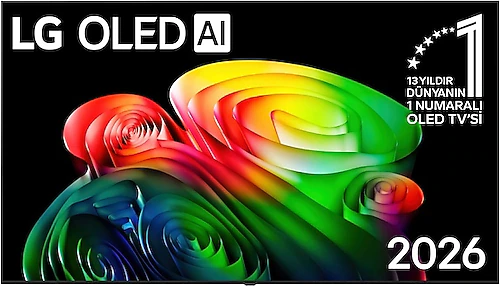
The LG OLED77B65LA is a television for people who want a big picture in the living room, with its 77-inch OLED screen, 4K resolution, and 120 Hz refresh rate. OLED’s deep blacks stand out in movies and shows, while sports benefit from smooth motion, and gaming can make use of the high refresh rate. webOS, wireless connectivity, and a built-in satellite receiver also make it easy to put the TV at the center of everyday use.
What makes a 77-inch OLED stand out
With a 195 cm screen diagonal, the TV can feel even more imposing in a small room; in a spacious living area, it makes movies, matches, and games more immersive. This size is especially appealing if you want to sit closer to the screen or watch comfortably with several people. Still, before buying, it is a good idea to plan where the TV will go and how far away you will sit by measuring the space rather than estimating. Also account for the space needed for the stand or wall mount.
OLED technology’s main strength is that each pixel produces its own light. Since it can display black areas without illuminating them, shadows stand out more in movies and shows, and the contrast between bright objects and a dark background looks more striking. Viewers who watch movies in dim lighting and care about picture atmosphere may especially enjoy this quality. On a large screen, the 3840x2160 pixel resolution also helps preserve detail in 4K content, though the quality of the source matters too.
120 Hz for movies, sports, and gaming
The 120 Hz refresh rate has the potential to deliver smoother images in content with frequent fast movement. In broadcasts such as football and motorsports, camera pans across the field may appear smoother than on a 60 Hz-class screen. In gaming, too, high-frame-rate images from a compatible console or computer can benefit from the panel’s speed. Since the actual result depends on the device, game, and connection settings, when choosing a gaming system, consider not only the TV’s refresh rate but also the picture options supported by the devices together.
Four HDMI inputs are useful for keeping multiple devices connected, such as a game console, streaming box, computer, and sound system, reducing the need to switch cables between sources. Two USB ports provide room to connect compatible USB devices. Since the available information does not specify the HDMI input features or supported gaming functions, anyone who needs a particular console feature should also check the connection requirements of the devices they plan to use with the TV.
webOS and connectivity options
The webOS operating system gives you access to the TV’s smart features and supported apps from a single screen. You can connect to a network over Wi-Fi, choose a wired connection with Ethernet, or pair compatible devices over Bluetooth. Screen mirroring, which lets you send images from a phone or computer to the TV, is also handy for sharing photos and videos on the big screen. Since the mirroring method and app compatibility may vary depending on the source device, consider whether it works with your phone if you plan to use it often.
The built-in satellite receiver reduces the need to add a separate receiver to watch satellite broadcasts. When the antenna connection and setup are done correctly, managing broadcasts through a single device makes for a tidier setup. The optical audio output also provides an option for connecting to a sound system with an optical input. This gives you more flexibility if you want a more comprehensive sound setup than the TV’s own speakers; just make sure the connection types are compatible when choosing a sound system.
HDR and choosing a picture source
HDR10 and HDR10+ support aims to deliver a wider range of tones in bright and dark scenes with compatible content. To see the effect of these features, the content you watch and the app or external player you use must also support the relevant HDR format. The OLED screen’s black performance can enhance the impact of HDR content in dark scenes, but not every piece of content will show the same degree of difference. For everyday TV broadcasts, source quality and broadcast resolution are also important factors in how clean the image looks on a large 4K panel.
AI support is listed among the product’s features, but since the specific functions offered under this heading are not stated, you should not assume that it includes a particular picture-enhancement or audio feature. Base your decision on clearly specified features such as the screen, connectivity, and operating system.
Who is it a good fit for?
The OLED77B65LA makes the most sense in homes where people watch movies and shows in a spacious room, want a large and fluid picture for sports, or plan to use a gaming system on a big screen. If you will regularly make use of OLED’s blacks and the 77-inch size, these features may justify the price difference compared with a more basic screen of a similar size. On the other hand, if you mostly leave the TV on in the background, watch in a small room, or follow basic broadcasts rather than prioritizing picture quality, a smaller model or one with a different panel technology may be a better-balanced choice.
Compared with large LCD and Mini LED TVs in a similar class, LG’s OLED approach stands out for its pixel-level control of light in black scenes. However, performance in bright scenes and prices vary from model to model, so do not assume a definitive advantage based on the display technology’s name alone. No specific brightness figure is provided for the OLED77B65LA either, so if you plan to use it in a very bright room, take the room’s lighting and your viewing habits into account.
Its energy class is listed as E. This rating alone does not tell you its annual electricity consumption; if you use the TV for many hours every day, it is worth checking the energy consumption information before buying. Since no price is specified, it is not possible to make a definitive value-for-money judgment: if the model offers a 77-inch OLED screen and a 120 Hz refresh rate for a reasonable premium over similar options, it is a strong contender for people who will actually use those features. If a larger screen and OLED’s picture characteristics are not priorities for you, compare smaller TVs in the same price range as well.