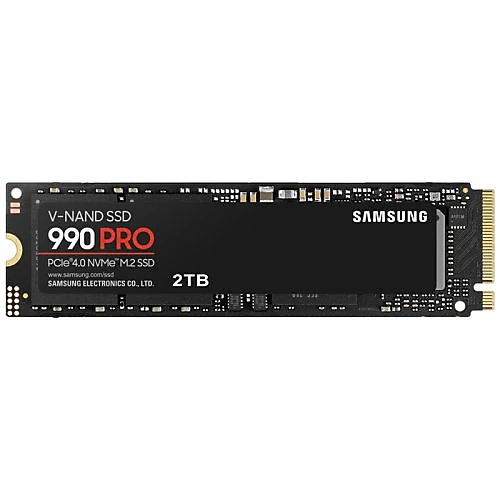
The Samsung 990 PRO MZ-V9P2T0BW is a 2 TB PCIe 4.0 M.2 SSD for anyone who wants both substantial storage space and fast file access on their computer. With sequential read speeds of up to 7,450 MB/s, write speeds of up to 6,900 MB/s, and a DRAM cache, it stands out for desktop and laptop systems used for extensive game libraries, large project files, and fast load times. It’s a meaningful upgrade for those looking not only to increase capacity but also to reduce storage-related delays.
What does it offer for gaming and everyday use?
With the size of modern games in mind, 2 TB provides practical breathing room: you can keep several large games on the same drive while leaving space for the operating system and frequently used applications. High sequential read speeds are useful for loading games, opening large files, and transferring project data to the drive. However, these figures matter most when transferring large amounts of sequential data. You shouldn’t expect them alone to change your computer’s startup time or the speed of every application by the same degree in everyday use; the processor, memory, and software also affect the experience.
The 6,900 MB/s write speed helps the drive handle data quickly in scenarios such as video editing, working with high-resolution images, recording gameplay, and moving large archives. In workflows where multiple applications access files, a high-speed SSD can also keep storage from becoming the system’s slowest link. Of course, actual transfer speeds vary depending on file size, workload, computer configuration, and temperature; the stated figures shouldn’t be treated as fixed speeds you’ll see with every file operation.
DRAM cache and high-speed storage
The 990 PRO’s DRAM cache may make it a good choice, particularly when working with many files on the drive or handling workloads that require frequent access. Compared with more affordable DRAM-less models, an SSD with DRAM can offer more consistent performance in some mixed workloads. This difference becomes more meaningful when managing a large game library, frequently copying files, or keeping work files on the same drive. If you only need an SSD for browsing the web and editing documents, you may not benefit from all the performance this class offers.
This capacity also offers flexibility to those who want to build a computer around a single fast drive. The operating system, applications, games, and active projects can all be kept on the same drive, reducing the need to rely on external storage. Content creators can store large video files in their workspace, while software developers can set aside plenty of space for virtual machines and project folders. A 2 TB capacity isn’t unlimited space for very large archives, but it offers a useful balance for a performance-focused primary drive.
Check compatibility before installation
This drive is an M.2 model and uses the PCI-Express 4.0 interface. Before buying, check that your motherboard or laptop’s M.2 SSD slot supports NVMe drives and that the physical dimensions and mounting location are suitable. M.2 describes only the connector’s form factor; not every M.2 slot supports the same interface. If your computer supports an older generation instead of PCIe 4.0, the drive may work in a compatible slot, but transfer speeds will be limited by the interface supported by the system.
On desktop systems, using the motherboard’s M.2 heatsink can help manage heat during intensive, sustained transfers. On laptops, it’s important to check the available space around the slot and the capacity supported by the device manufacturer. After installation, you may need to partition or format the new drive for the operating system to recognize it. If you’re replacing your current system drive, back up your files before moving them and plan how you’ll transfer the operating system to the new drive.
Comparing it with alternatives
The Samsung 990 PRO is a model worth considering if you’re looking for high sequential speeds and a DRAM cache in the PCIe 4.0 category. When comparing it with high-end PCIe 4.0 alternatives such as the WD_BLACK SN850X, don’t look only at the advertised maximum read speed; capacity, DRAM, warranty terms, and performance with your own workload also affect the choice. In this category, differences in everyday use may not always be as noticeable as small differences in the specifications.
PCIe 5.0 SSDs can offer higher peak speeds, but they require a compatible system; it’s also worth considering whether your usage really needs that speed. The 990 PRO’s PCIe 4.0 performance already provides a very fast storage foundation for gaming and productivity systems. The price difference is easier to justify if you frequently move large files, run demanding applications, or want to use 2 TB as a fast primary drive. If your priority is simply basic applications and low-cost storage, a more affordable SSD may meet your needs.