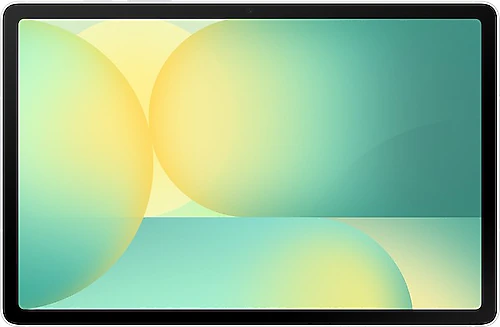
The Samsung Galaxy Tab S10 FE SM-X520 is aimed at people who want to use their tablet for more than just watching videos—to take notes, draw, work with documents, and organize everyday tasks, too. Its 10.9-inch display, S Pen support, and 8 GB of RAM make it a more productive option than basic entertainment tablets. This Wi-Fi model runs Android 15 and Samsung's One UI interface.
From note-taking to multitasking: where the FE excels
The Tab S10 FE's most meaningful feature is how it combines pen support with a large display and Samsung's tablet software. You can annotate slides during class, quickly jot down ideas in a meeting, or open a PDF on the screen and mark important sections. Beyond basic finger navigation, the touch pen makes the tablet a more natural workspace for tasks such as handwriting and drawing. For students and office users who want to organize handwritten notes or work directly with on-screen content, this can make everyday routines noticeably easier.
The Exynos 1580 processor and 8 GB of RAM provide a capable foundation for everyday use, including switching between a browser, note-taking app, video call, and office documents. Watching an online class while taking notes, or moving between email and document apps, are among the tasks this tablet is designed for. Mobile games and creative apps are also within its scope; however, anyone seeking the highest graphics settings in demanding games shouldn't treat this model as a dedicated gaming device. Its main advantage is bringing entertainment and productivity together on one portable screen.
A balanced 90 Hz display for content and reading
The 10.9-inch LCD display provides a comfortable viewing area for class notes, ebooks, web pages, and TV shows. The 90 Hz refresh rate helps make motion look smoother, especially when scrolling through pages, navigating the interface, and playing supported games. In everyday use, this smoothness makes the small movements you frequently make on a tablet feel more comfortable. Stereo speakers also keep sound from seeming as though it is coming from a single point when you're watching videos or on a video call.
The screen size strikes a reasonable balance between portability and ease of use: it's not too large to carry in a bag, yet it's significantly more convenient than a phone for reading documents and working with two apps. That said, the tablet won't replace a laptop for every task. You may want to use a separate keyboard for writing long documents or working extensively with spreadsheets, so it's worth checking the keyboard's compatibility with the model and its cost before buying. The touch pen is useful for drawing and handwriting, while a keyboard supports productivity in a different way.
Storage and connections: expand space to suit your needs
The 128 GB of internal storage can be enough to get started with apps, study materials, documents, and offline content. If you collect lots of large games, videos, or downloaded TV shows, the storage may fill up more quickly. Expandable storage comes in handy here: you can add space for files with a microSD card and keep frequently used documents and content on the tablet. The USB-C connection also offers a practical way to connect compatible external storage devices. When buying a card or external storage, check your capacity needs and compatibility with the devices you'll use.
The SM-X520's connectivity is based on Wi-Fi, Wi-Fi 6E, and Bluetooth 5.3. If you have a Wi-Fi 6E-compatible network, you can take advantage of it under supported conditions; your connection experience also depends on your router and network environment. Bluetooth makes it easy to connect accessories such as headphones and keyboards wirelessly. GPS support is also available for location-based apps. Keep in mind that this model requires a Wi-Fi network for online connectivity; anyone expecting SIM-based mobile connectivity should pay particular attention to the exact model and connectivity version.
Battery, cameras, and portability in everyday use
The 8000 mAh battery capacity makes the tablet suitable for a mix of activities, including studying, browsing, and watching videos. Actual battery life will vary depending on screen brightness, connection status, and the apps you run, so it's best not to expect a single fixed runtime. 45 W fast charging can help shorten charging breaks with a compatible charger; check whether you'll need to buy the adapter separately.
The 12 MP front camera is a useful feature for video calls. The 13 MP rear camera can be used for practical tablet tasks such as photographing documents and digitizing notes or printed materials. Camera resolution alone doesn't determine photo quality, so it's better to think of the tablet camera as a ready-to-use tool for calls and documents rather than a camera that replaces your phone.
At 500 grams, the tablet is easy to carry for a device with a 10.9-inch display; still, using a case stand or placing it on a table may be more comfortable than holding it in one hand for extended reading. The fingerprint reader helps unlock the screen conveniently. If you plan to draw or take notes with the S Pen, choosing a case that protects the pen in your bag is also a good idea.
Who should consider it?
The Galaxy Tab S10 FE is a balanced tablet for people who want to digitize school notes, work with PDFs and presentations, join video meetings, and watch content in their spare time. Students, teachers, people who sketch, and anyone who wants to keep meeting notes organized will get the most out of its features if they regularly use the pen for everyday tasks. Expandable storage is also a useful convenience for anyone who thinks 128 GB won't be enough.
A more affordable tablet may be sufficient for watching videos, browsing the web, and using basic apps. The extra cost here makes sense primarily for features such as pen interaction, a 90 Hz display, 8 GB of RAM, and expandable storage. If you'll use these regularly, the S10 FE's productivity features make the price difference easier to justify; if you won't work with a pen and only consume basic content, a simpler model may be a better fit for your budget. Larger-screen alternatives in a similar class may offer more workspace, while the S10 FE's 10.9-inch size makes it easier to carry and use every day. Choose based on your priorities among screen space, pen-enabled work, and portability.