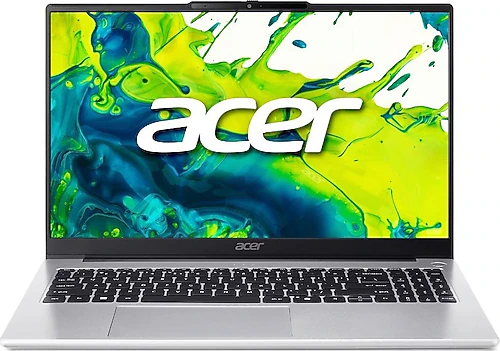
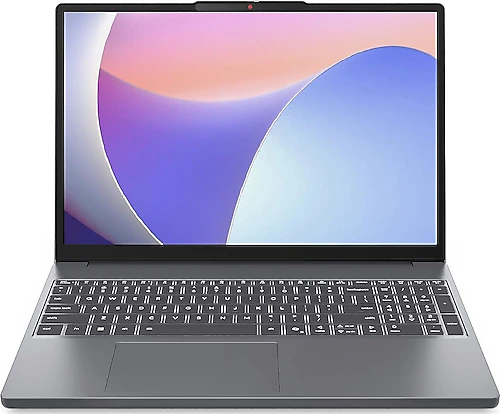
The Acer Aspire AL15-45P-R11D and Lenovo IdeaPad Slim 3 15ARP10 are aimed at users looking for a large-screen laptop for school, office work, home use, and multitasking. Both feature an eight-core Ryzen 7 processor, 16 GB of memory, a 512 GB SSD, and FreeDOS. This shared foundation takes both models beyond a basic entry-level experience for everyday use. However, display quality, portability, and details that improve ease of use steer the two laptops toward different priorities.
Screen space and viewing experience
Lenovo’s clearest advantage in this comparison is its display. The IdeaPad Slim 3 offers a 15.3-inch IPS panel with a 1920 × 1200-pixel resolution and a 16:10 aspect ratio. The extra vertical space compared with standard Full HD provides a noticeable everyday benefit when reading long text, working with spreadsheets, scrolling less through web pages, and arranging two windows. The IPS panel’s more consistent image at different viewing angles and its anti-glare surface further support this work-focused approach.
Acer uses a more traditional 15.6-inch display with a 1920 × 1080-pixel resolution and a 16:9 aspect ratio. This physically slightly wider panel provides sufficient workspace for video, presentations, and standard document use. However, due to its TN panel design, viewing angles and color consistency are not as strong as on Lenovo’s IPS display. This difference may be less important for users who mostly use the laptop directly in front of them, rarely share the screen with others, and do not perform color-sensitive work. Still, if display quality is central to the purchasing decision, Lenovo is the more suitable choice.
Everyday performance and multitasking
The eight-core Ryzen 7 processors and 16 GB of RAM in both models provide a solid foundation for numerous browser tabs, office applications, video calls, research, presentation preparation, and everyday productivity tasks. The 512 GB SSD also offers balanced starting capacity for the operating system, applications, and personal files. Users who build large game libraries or extensive video archives should consider their storage needs based on their usage habits with either model.
Lenovo uses DDR5 4800 MHz memory, while Acer comes with DDR4 memory. This distinction matters for users who prefer a more current memory platform. On the Acer side, the Ryzen 7 5825U and 16 GB RAM combination continues to offer a balanced setup for common tasks such as documents, browser use, online meetings, basic image editing, and software development. The choice should not depend solely on the numbers listed for processor speed; display, chassis, and peripheral needs can have a more direct impact on the daily experience.
On the graphics side, neither is a gaming or professional 3D production laptop with a dedicated graphics card. Acer’s shared Radeon Graphics solution is designed for video playback, everyday interface tasks, and light graphics workloads. Lenovo’s shared Radeon 680M is positioned as a more capable integrated graphics option for everyday visual tasks and light gaming. Even so, new and demanding games and intensive 3D work are not the primary use cases for either model. For such needs, the deciding factor is choosing a different class with dedicated graphics.
Carrying it around: Acer is lighter, Lenovo remains reasonable
For frequent travelers or users who carry their laptop between school and the office every day, Acer’s 1.49 kg weight is a significant advantage. Combined with its 18.6 mm thickness, it presents a profile that is easier to carry than expected from a 15.6-inch laptop. For those who want less weight in this screen class, this can be a difference that affects everyday comfort more than a technical specification list.
At 1.63 kg, Lenovo is 140 grams heavier than Acer. Still, considering its 15.3-inch display and generous workspace, it is not a model that is impractical to carry between home, school, and the office. If the priority is the lightest possible device in the 15-inch class, Acer comes out ahead. On the other hand, for users willing to carry a little more weight in return for a higher-quality display with more vertical space, Lenovo’s weight difference becomes a reasonable trade-off.
Everyday usability details and connectivity approach
Lenovo improves everyday convenience with small but practical details such as a backlit keyboard and card reader. A backlit keyboard offers a direct benefit for users working in dim environments, while the card reader adds convenience for those who use compatible memory cards for photo or file transfers. In addition, Bluetooth 5.3 and a 60 Wh battery capacity are positive points for users who value wireless accessories and working away from a power outlet.
Acer includes Bluetooth 5.1 support, which comfortably covers the use of wireless headphones or a mouse. The model’s main focus is on providing a large display and productivity hardware in a lightweight chassis rather than additional hardware features. If a backlit keyboard or card reader is not essential to your daily routine, Acer’s simpler approach does not necessarily need to be seen as a drawback.
The fact that both laptops come with FreeDOS is a shared and important point. Installing Windows or another preferred operating system, preparing drivers, and installing the necessary software should be planned by the user. For those who want to start working immediately after unboxing with a ready-to-use operating system, both models require the same preparation in this respect.
Which model should each user choose?
The Acer Aspire AL15-45P-R11D is better suited to users who prioritize lower weight, regularly carry a 15.6-inch laptop, and focus on office work, education, browser use, and multitasking. Users who accept the limitations of the TN panel get a strong everyday processor-memory combination in a lighter chassis.
The Lenovo IdeaPad Slim 3 15ARP10 is a stronger candidate for users who spend long periods in front of the screen. Its WUXGA IPS panel with a 16:10 ratio, anti-glare surface, DDR5 memory, backlit keyboard, and card reader make a document-, research-, education-, and remote-work-focused setup more comfortable. If the slightly higher weight is acceptable in exchange for these usability advantages, Lenovo offers a more complete work experience.