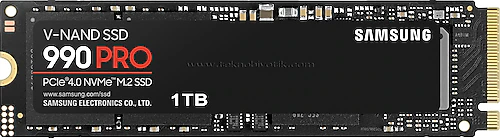
The Samsung 990 PRO MZ-V9P1T0BW is a 1 TB M.2 SSD that uses the PCIe 4.0 interface. With read speeds of up to 7450 MB/s and write speeds of up to 6900 MB/s, it’s aimed at anyone looking to speed up their game library, move large files, and spend less time waiting on storage during demanding workflows. Its DRAM cache also makes it a strong option for desktop and laptop systems that handle frequently accessed data—not just workloads that benefit from high sequential transfer speeds.
What its speed means in everyday use
These speed figures matter most to users who regularly read and write large games, video projects, or extensive photo libraries. Game load times and opening large files can benefit from faster storage, though not every application will speed up to the same extent. The processor, memory, and software also play a role, so don’t expect every task on your computer to become equally faster after installing this SSD. The clearest difference comes in tasks where storage is genuinely causing delays.
Adding the 990 PRO to a gaming PC is a good way to keep frequently played games and commonly used applications on fast storage. Its 1 TB capacity provides plenty of room to start with, though a large game library, high-resolution video files, and creative projects can fill it over time. It offers a balanced capacity for anyone who wants to manage both the operating system and frequently used content on a single fast drive.
The DRAM cache helps the SSD handle intensive data operations and manage frequently accessed information. This design choice can contribute not only to one-off large file copies, but also to the smoothness of everyday file operations on a computer used over long periods. Sequential speeds don’t tell the whole story, but they’re one of the factors that explain the 990 PRO’s high-end positioning.
Installation and compatibility
This model uses the M.2 form factor and a PCIe 4.0 interface. Before buying, check that your motherboard or laptop has an NVMe-compatible M.2 slot and enough physical space for the drive. M.2 slots may look similar, but the supported connection type and drive length can vary from one device to another. A compatible PCIe 4.0 slot is the best match for making use of the SSD’s potential speeds; even if it can work on an older platform, transfer performance will be limited by that platform.
After installation, using your motherboard’s M.2 heatsink can be useful, especially during long, intensive write operations. If you plan to install the drive in a PlayStation 5, check the console’s size and cooling requirements for M.2 SSDs, and keep in mind that a suitable heatsink may be needed. On laptops, access to the slot and the availability of an empty slot matter; if you’re replacing an existing drive, you’ll also need to plan how to transfer your data.
How it compares with similar options
Fast PCIe 4.0 M.2 SSDs such as the WD Black SN850X and Crucial T500 are also worth considering for gaming and creative systems. When choosing between them, look beyond the advertised maximum read speed and consider capacity, DRAM cache, cooling, and current price differences together. The 990 PRO’s read speed of 7450 MB/s and write speed of 6900 MB/s make it a strong contender in this class; its DRAM-equipped design also helps distinguish it from options focused primarily on low cost.
While PCIe 5.0 SSDs move toward higher interface speeds, the 990 PRO may be a better fit for anyone seeking high-end performance on a PCIe 4.0 platform. Even if your computer supports PCIe 5.0, choosing this model should depend more on the performance and price balance you actually need than on the fact that the interface is theoretically newer. If a more affordable drive with similar capacity meets your everyday needs, there’s no need to pay extra for the 990 PRO’s speed advantage. That premium becomes more worthwhile if you work with large files, use fast storage heavily, or want a high-end PCIe 4.0 SSD for your system.
Who is it for?
The Samsung 990 PRO 1 TB is a good fit for anyone who wants fast storage for games and applications, content creators working with large files, and users aiming to reduce storage bottlenecks on a PCIe 4.0 system. Its key strength is combining high read and write speeds with a DRAM cache. On the other hand, anyone looking for an SSD for basic use or who doesn’t put much demand on storage performance may be just as happy with a more affordable model. Consider the price difference in light of how important the tasks that benefit from its speed are to you.