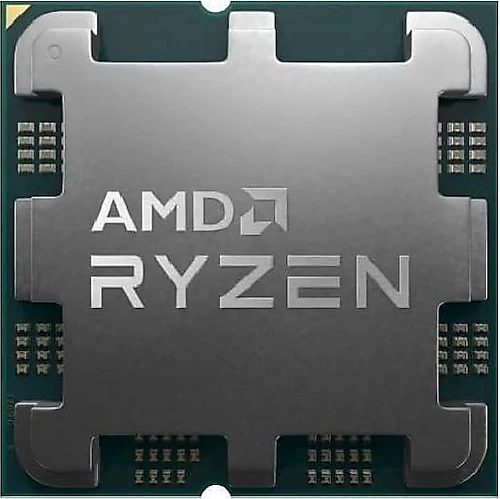
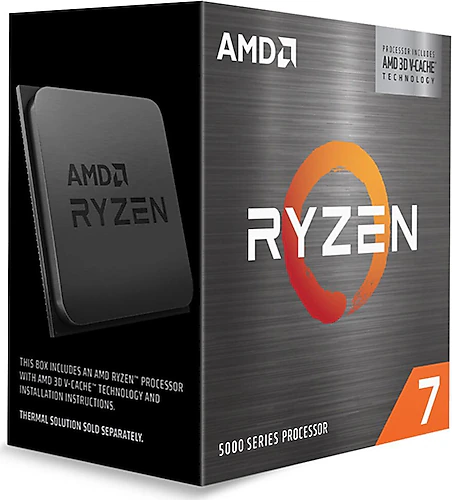
Although both the AMD Ryzen 5 7500F and Ryzen 7 5800X3D are desktop processors that require a separate graphics card, they suit different system plans. The 7500F offers a balanced starting point for a new AM5- and DDR5-based PC, while the 5800X3D is designed for those who want to stay on AM4 and improve gaming performance in particular. So rather than looking only at core, clock speed or cache figures, it’s important to consider your motherboard and what you use your PC for.
A new system or an upgrade to an existing AM4 PC?
The Ryzen 5 7500F’s AM5 socket and DDR5 support make it a fit for those who want to build on a new platform. An AM5 motherboard and DDR5 memory should also be included in the total system plan. The processor supports up to 128 GB of RAM and is compatible with PCIe 5.0, leaving room to build a desktop around current components. Its 6 cores and 12 threads provide a balanced foundation for gaming, everyday use and multitasking.
The Ryzen 7 5800X3D, by contrast, works on a platform with an AM4 socket and DDR4 memory. If you already have a compatible AM4 system, the possibility of upgrading the processor without changing the motherboard or memory is its most meaningful advantage. You’ll need to check your motherboard’s BIOS support; an AM4 socket alone may not be enough. You can also choose the 5800X3D when building a new system, but the processor itself won’t provide a move to AM5 and DDR5.
Different strengths in gaming performance
The 5800X3D’s main gaming-focused feature is its 3D V-Cache design with 96 MB of L3 cache. This large cache can help the processor access data needed during gaming, though the effect varies by game, resolution and graphics card. It can make an upgrade worthwhile for players whose existing AM4 PC is approaching a CPU limit, especially those who value high frame rates.
The 7500F takes a different approach to gaming: with 6 cores, 12 threads and a boost clock of up to 5 GHz, it can be part of a new system that leaves room in the budget for a graphics card. The 5800X3D, meanwhile, combines 8 cores and 16 threads with the large cache that stands out in gaming. Core count or boost clock alone can’t tell you which processor will perform better in every game. Your existing platform, the games you play and the graphics card in your system all factor into the choice.
At higher resolutions, the workload may shift toward the graphics card, so the 5800X3D’s cache advantage won’t necessarily be equally noticeable in every game. If you’re building a new system with a graphics card, the 7500F’s platform and budget balance may matter more; if you’re keeping an AM4 system, the 5800X3D’s upgrade convenience stands out.
Everyday tasks and productivity
Both processors are suitable for uses beyond gaming. The 7500F’s 12 threads offer flexibility for everyday applications, multitasking, virtualization and light productivity tasks. The 5800X3D’s 16 threads and eight cores can also be put to use for streaming, photo editing and various content creation tasks alongside gaming. However, its main distinguishing feature isn’t a claim of superiority in every demanding production workload, but its gaming-focused 3D V-Cache design. If you mainly run long, multi-core workloads, consider the applications you need to use as well.
The platforms also differ in terms of upgrades. The 7500F is part of a move to DDR5 and AM5, while the 5800X3D lets you keep your existing DDR4 memory. When deciding, consider not just the processor but also the other components you may need to replace.
Graphics card and cooler requirements
Neither processor has integrated graphics, so you’ll need a separate graphics card for display output. This is an important point they have in common if you plan to buy a graphics card later or want to use the processor’s display output when troubleshooting.
The 7500F is sold without a box cooler or fan, so you’ll need to select a cooler separately. A suitable CPU cooler and sufficient case airflow should also be part of the build plan for the 5800X3D. The 7500F’s 65 W and the 5800X3D’s 105 W power consumption figures can be considered when planning a system; these figures alone don’t eliminate the need for a cooler. Also, don’t choose the 5800X3D expecting to overclock it using the usual multiplier-based method; its options for this type of adjustment are more limited.
Final verdict: Which one is right for you?
If you’re building a new AM5- and DDR5-based system and want to manage your processor budget while leaving room for a graphics card, the Ryzen 5 7500F points in the right direction. Its 6 cores and 12 threads provide a foundation for gaming and general use, but you should include a separate graphics card, motherboard, DDR5 memory and cooler in your total cost calculation.
If you want to upgrade your gaming PC while keeping your existing AM4 motherboard and DDR4 memory, the Ryzen 7 5800X3D is the more compelling option. Its 3D V-Cache and eight cores make a strong case for a gaming-focused upgrade. In short, the 7500F stands out for building on a new platform, while the 5800X3D is better suited to updating an AM4 system for gaming. The best choice depends on the components you already have and your priorities.